Are you tired of typing the same emails, Slack messages, and Notion notes every single day? I was too until I discovered Blip AI.
I’ve been testing Blip AI for a few weeks across Gmail, Notion, Slack, VS Code, and even WhatsApp Web. In this review, I’ll give you my honest take what impressed me, what disappointed me, and whether it’s worth your money.
Here’s what I’ll cover: key features, integrations, pricing, pros & cons, and my final verdict. Let’s dive in!
What Is Blip AI?
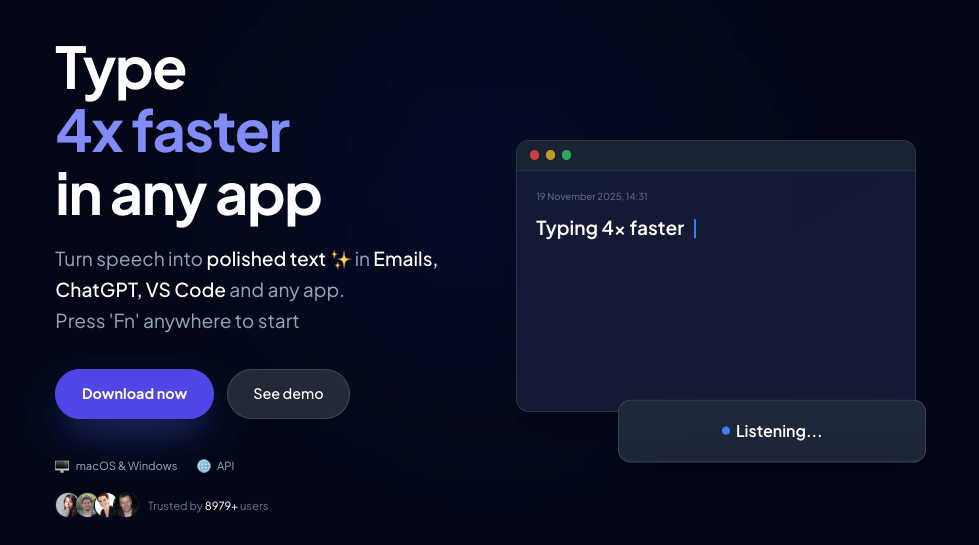
Blip AI is a system-wide voice dictation tool that converts your speech into polished, ready-to-send text — in any app — in under a second.
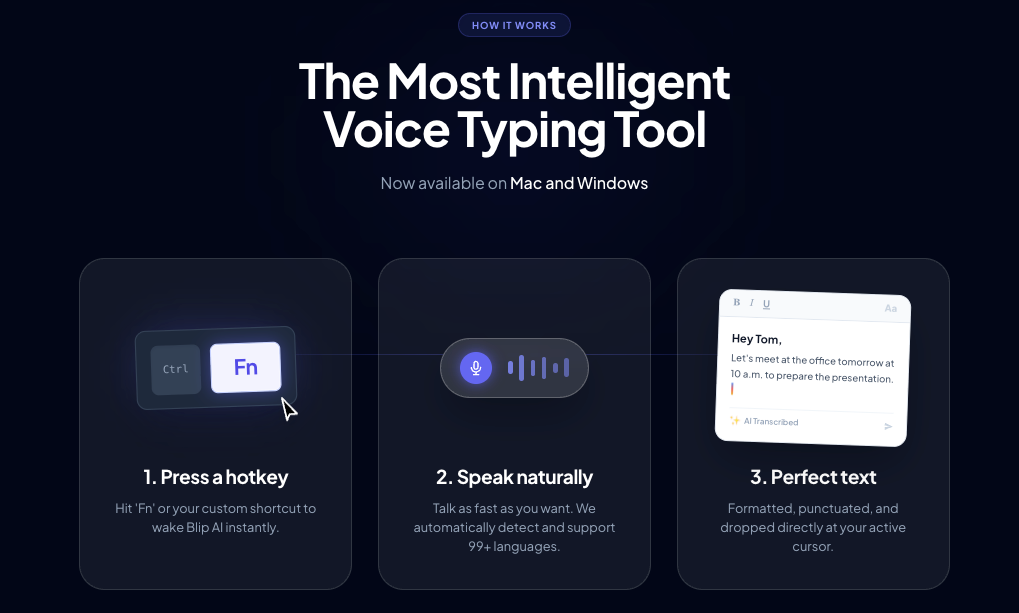
Built by engineers from Microsoft and Amazon, and backed by Microsoft for Startups, Blip was founded in late 2025. The core idea is simple: press a hotkey (default: Fn), speak naturally, and clean text appears exactly where your cursor is sitting.
It’s not just a transcription tool. It works across your entire operating system — not just inside one app.
Key Features of Blip AI
1. System-Wide Voice Dictation — Works in Any App
This is Blip’s biggest selling point, and it delivers.
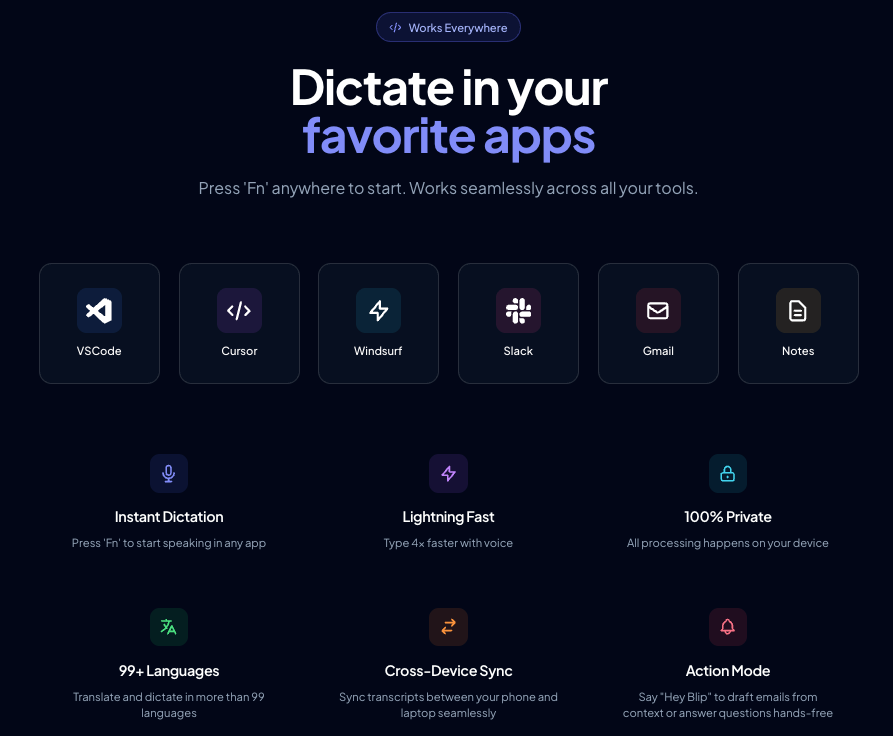
Most voice tools are trapped inside their own app. Blip AI works everywhere — Gmail, Notion, Slack, VS Code, ChatGPT, WhatsApp Web, you name it. I tested it across all of these, and it worked without a single setup step per app.
What impressed me most? It even worked over a remote desktop connection — something most competitors fail at completely.
Latency: Under 800ms. The text appears almost instantly as you speak.
2. Action Mode — More Than Just Dictation
Action Mode is where Blip goes from “useful” to “genuinely impressive.”
Instead of just transcribing your words, you can give it commands. For example, I said: “Draft a follow-up email to my client thanking her for today’s meeting” and a clean, professional email appeared in Gmail within seconds.
It’s powered by GPT, so it understands context, maintains formatting, and adapts to your tone. For developers, this is a game-changer you can dictate prompts directly into Cursor, GitHub Copilot, or Windsurf without switching windows.
3. Speed — Is It Really 4x Faster?
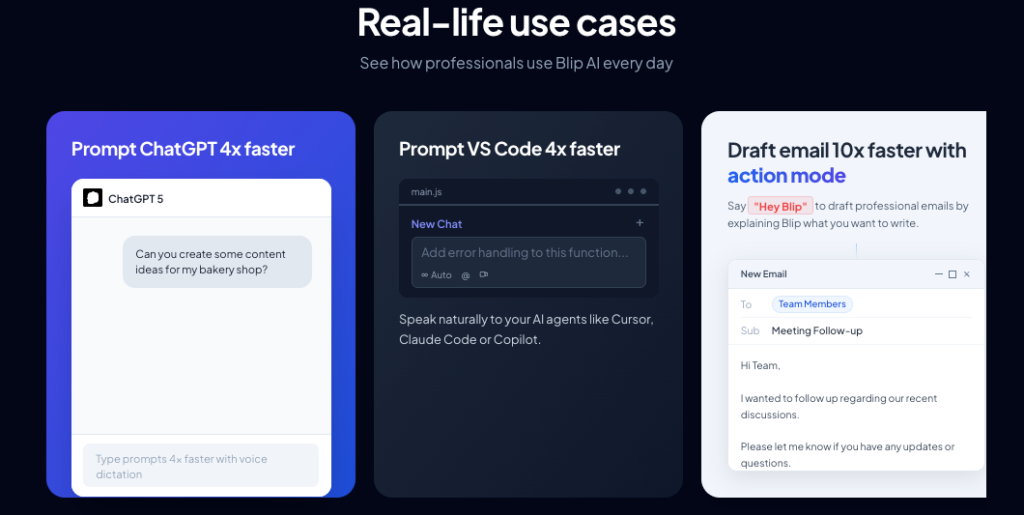
Blip claims you can type 4x faster with voice. In my testing, this isn’t far off.
An email that took me 5 minutes to type took about 1-2 minutes with Blip. But the bigger benefit isn’t just speed — it’s focus. When you type, red squiggly underlines and typos break your train of thought. When you speak, ideas flow naturally.
4. Mobile App — Android & iOS
Blip recently launched Android v2 (April 2026), which now works across every app on your phone — not just inside Blip itself. iOS support is also available.
That said, the mobile experience isn’t as smooth as desktop. It’s improving fast, but desktop is still where Blip shines.
5. UI & Ease of Use
The interface is clean and minimal. There’s no learning curve — I was up and running in under 5 minutes.
One minor complaint: the listening UI overlay is a bit large. If you work on a small screen or limited screen real estate, it can feel intrusive. Not a dealbreaker, but worth knowing.
Blip AI Integrations
Blip AI doesn’t need a traditional “integrations” settings page — because it works at the OS level. You don’t connect apps individually. It just works wherever your cursor is.
Apps it works with:
- Productivity: Gmail, Notion, Google Docs, Outlook, Notes
- Dev Tools: VS Code, Cursor, Windsurf, GitHub Copilot
- Communication: Slack, WhatsApp Web, Messages
- AI Platforms: ChatGPT, Claude, and other browser-based AI tools
- Remote Tools: Works over remote desktop connections (rare for voice tools!)
The API is another big plus — power users can plug Blip directly into their existing workflows. The team confirmed this is a key part of their long-term vision.
Limitation: Non-English language accuracy isn’t great yet. If you primarily write in a language other than English, you may find the transcription inconsistent. Multi-speaker transcription is also not supported.
Blip AI Pricing
| Plan | Price | What You Get | Best For |
|---|---|---|---|
| Free | $0/month | Basic dictation, limited usage | Testing it out |
| Pro (Monthly) | ~$15/month | Unlimited, all features | Flexible users |
| Pro (Annual) | $5.99/month | All features, cheapest monthly rate | Long-term users |
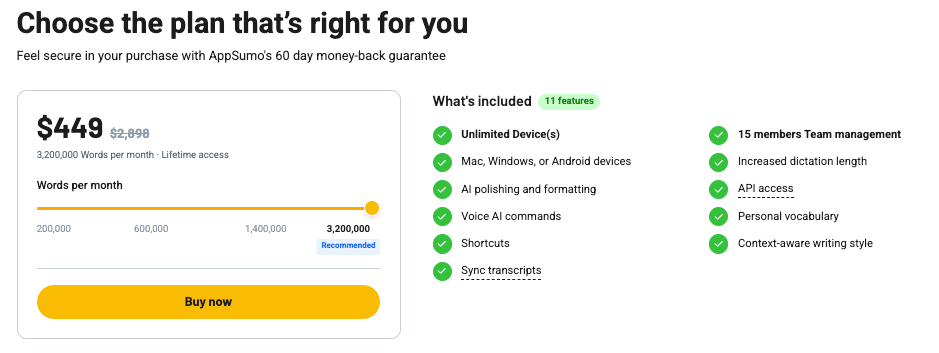
| AppSumo Lifetime | $49 (one-time) | Lifetime access, all features | Best overall value |
My recommendation:
If you plan to use Blip for more than 3-4 months, the AppSumo lifetime deal at $49 is a no-brainer. The annual Pro plan at $5.99/month is also very competitive compared to alternatives like Wispr Flow ($15/month, no free plan).
Start with the free plan to validate it fits your workflow. If you write more than 30 minutes of text per day, you’ll feel the difference from day one.
Pros & Cons
✅ Pros:
- Truly system-wide — works in every app without setup
- Blazing fast transcription with near-zero latency
- Action Mode turns voice into AI-powered commands
- Works over remote desktop (rare feature)
- Highly responsive team — active on Discord, fixes issues fast
- AppSumo lifetime deal offers exceptional value
- 60-day money-back guarantee
❌ Cons:
- Non-English language accuracy is inconsistent
- Mobile app still behind desktop experience
- No multi-speaker transcription support
- Listening UI overlay is a bit large
- Some power users argue open-source alternatives offer similar features for free
- Device limits on lower-tier plans can be frustrating for multi-device users
Who Should Use Blip AI?
Perfect for:
- Writers, bloggers, and content creators who type heavily every day
- Developers working with AI coding tools (Cursor, Copilot, Windsurf)
- Remote workers who live in Slack, email, and Notion
- Agencies and teams where everyone writes client-facing content
- Anyone who wants to think out loud and have polished text appear instantly
Skip it if:
- You write less than 15 minutes of text per day — the free plan covers you
- You primarily write in a non-English language
- You work exclusively on mobile — desktop is where Blip truly excels
Alternatives to Blip AI
Wispr Flow — The closest competitor. Also works system-wide on Mac and Windows. But costs $15/month with no free plan and no Action Mode.
Super Whisper / MacWhisper — macOS only, no Action Mode, fewer platform options.
Aqua Voice — macOS only and lacks Blip’s cross-app functionality.
Overall, Blip AI wins on price, platform breadth, and features — especially at the AppSumo lifetime deal price.
Final Verdict
Rating: 4.3 / 5
Blip AI is genuinely impressive for heavy writers and developers. System-wide dictation, Action Mode, and near-instant speed give it a real edge over competitors.
The weak spots — non-English accuracy, mobile experience, and multi-speaker transcription — are real limitations. But the team is moving fast, the product is improving monthly, and the AppSumo lifetime deal at $49 makes it a low-risk investment with a 60-day money-back guarantee.
My recommendation: Start with the free plan. If it fits your workflow, grab the AppSumo lifetime deal before it’s gone.
FAQ
Does Blip AI work on Windows?
Yes, Blip AI works on both Mac and Windows.
Can Blip AI transcribe languages other than English?
It can, but accuracy drops significantly for non-English languages. English is where it performs best.
How much can I use on the free plan?
Basic dictation is available, but usage is limited. If you write less than 15 minutes per day, the free plan should cover you.
Is the AppSumo deal permanent?
It’s a limited-time lifetime deal — act sooner rather than later.
Does Blip AI work on mobile?
Yes — iOS and Android are both supported. The Android v2 update (April 2026) now works across all apps on your phone.
This review is based on personal testing of Blip AI. For the latest pricing, visit blip.ai.